
Planet Clicker 2: Play Online for Free
Planet Clicker 2 is a free idle clicker game where you click planets, earn energy, buy upgrades, and explore the solar system. Begin on Earth, build machines that produce energy automatically, and unlock more locations as your earnings grow. Play the game in your browser, then use this guide to learn its controls, planet costs, two resources, saving system, and rebirth feature.
Planet Clicker 2
Explore planets, collect energy, unlock upgrades and build your space empire.
Free to Play • No DownloadWhat Is Planet Clicker 2?
Developed by Coltroc, Planet Clicker 2 is a space-themed incremental game and the sequel to Planet Clicker. It keeps the simple click-and-upgrade gameplay but adds a larger solar system, different planetary shops, purple resources, and an option to restart with a permanent bonus.
You begin with a small amount of energy from each click. Instead of clicking forever, you can buy machines that produce energy every second while the game runs. Your next goal is to unlock other locations, where new technologies help you earn increasingly large amounts.
There is no complicated mission system to learn. Most decisions come down to choosing an upgrade, deciding when to save energy, and finding the next planet worth unlocking.
| Game detail | Information |
|---|---|
| Developer | Coltroc |
| Genre | Idle clicker, incremental, space |
| Release listing | January 2022 |
| Game engine | Unity 2020 |
| Starting world | Earth |
| Locations | Eight planets and the Sun |
| Controls | Mouse click or tap |
| Platforms | Web browser on desktop and mobile |
| Cost | Free to play |
How to Play Planet Clicker 2
The game opens on Earth. You can start collecting energy right away.
You do not need to buy every item on Earth before moving on. If a new planet has a useful upgrade, saving for it may be better than repeatedly buying a weaker machine.
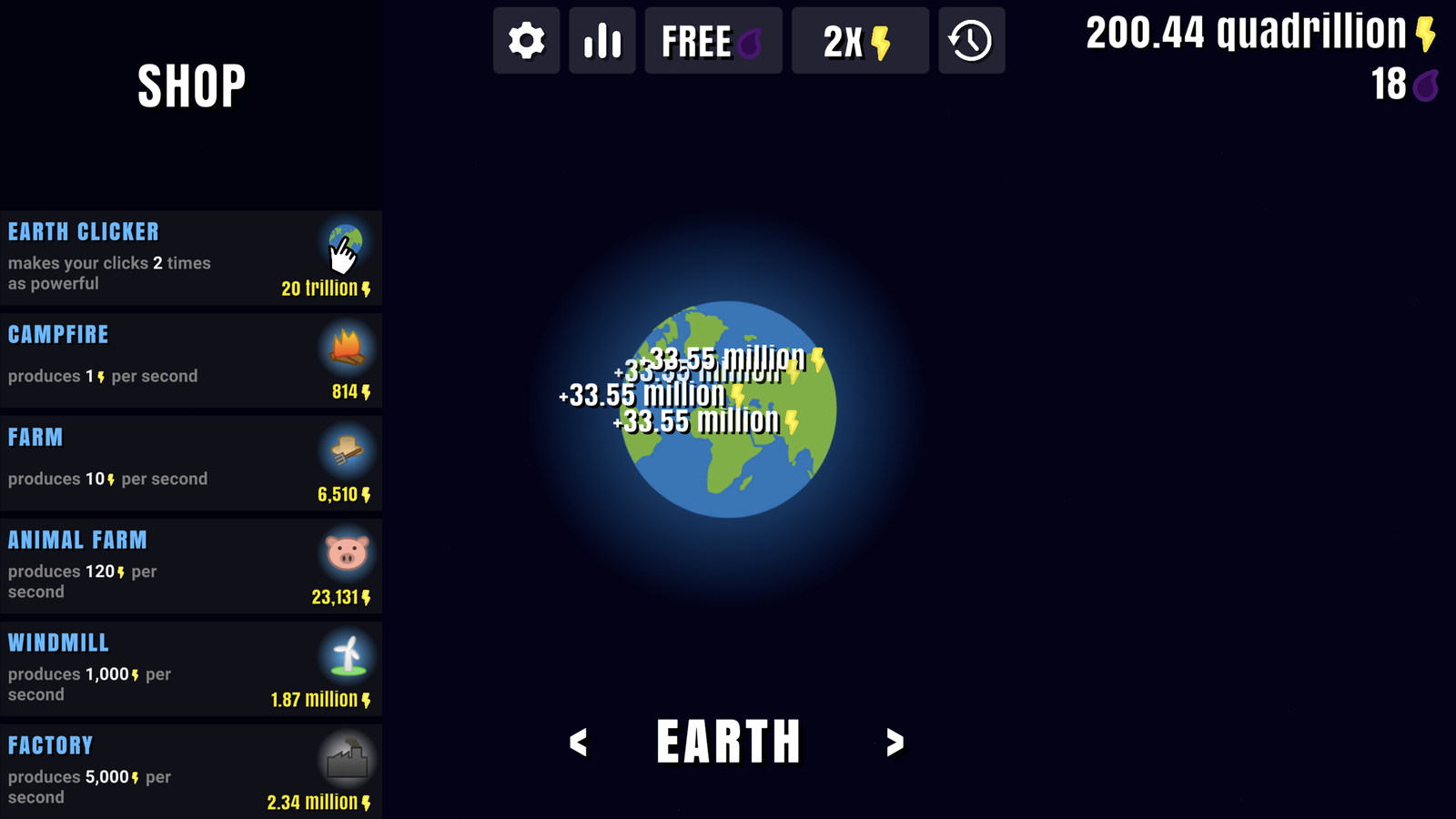
Controls and Screen Layout
| Action | Where to click |
|---|---|
| Earn energy | Planet in the center |
| Buy an upgrade | Shop on the left |
| Switch locations | Left and right planet arrows |
| Open Settings | Gear icon |
| View Stats | Bar-chart icon |
| Access Rebirth | Circular-arrow icon |
Your yellow energy total is displayed in the upper-right corner. Once you own an automatic producer, the screen also shows your energy per second. The purple icon below it is your second resource. Shop items display their effects and current costs, so you can compare them before buying.
Planets and Unlock Costs
The game includes eight planets and the Sun, making nine celestial locations altogether. Earth is unlocked at the start. The other locations show a lock and an energy price until you buy access.
| Location | Energy needed to unlock |
|---|---|
| Earth | Free starting location |
| Mars | 1 million ⚡ |
| Venus | 50 billion ⚡ |
| Jupiter | 150 billion ⚡ |
| Mercury | 10 quadrillion ⚡ |
| Saturn | 750 quadrillion ⚡ |
| Sun | 69 sextillion ⚡ |
| Uranus | 690 septillion ⚡ |
| Neptune | 250 nonillion ⚡ |
These figures come from the in-game unlock screens. The locations are listed by price, not by navigation-arrow order. The Sun is a star, but it is also an unlockable game location.
What Changes From Planet to Planet?
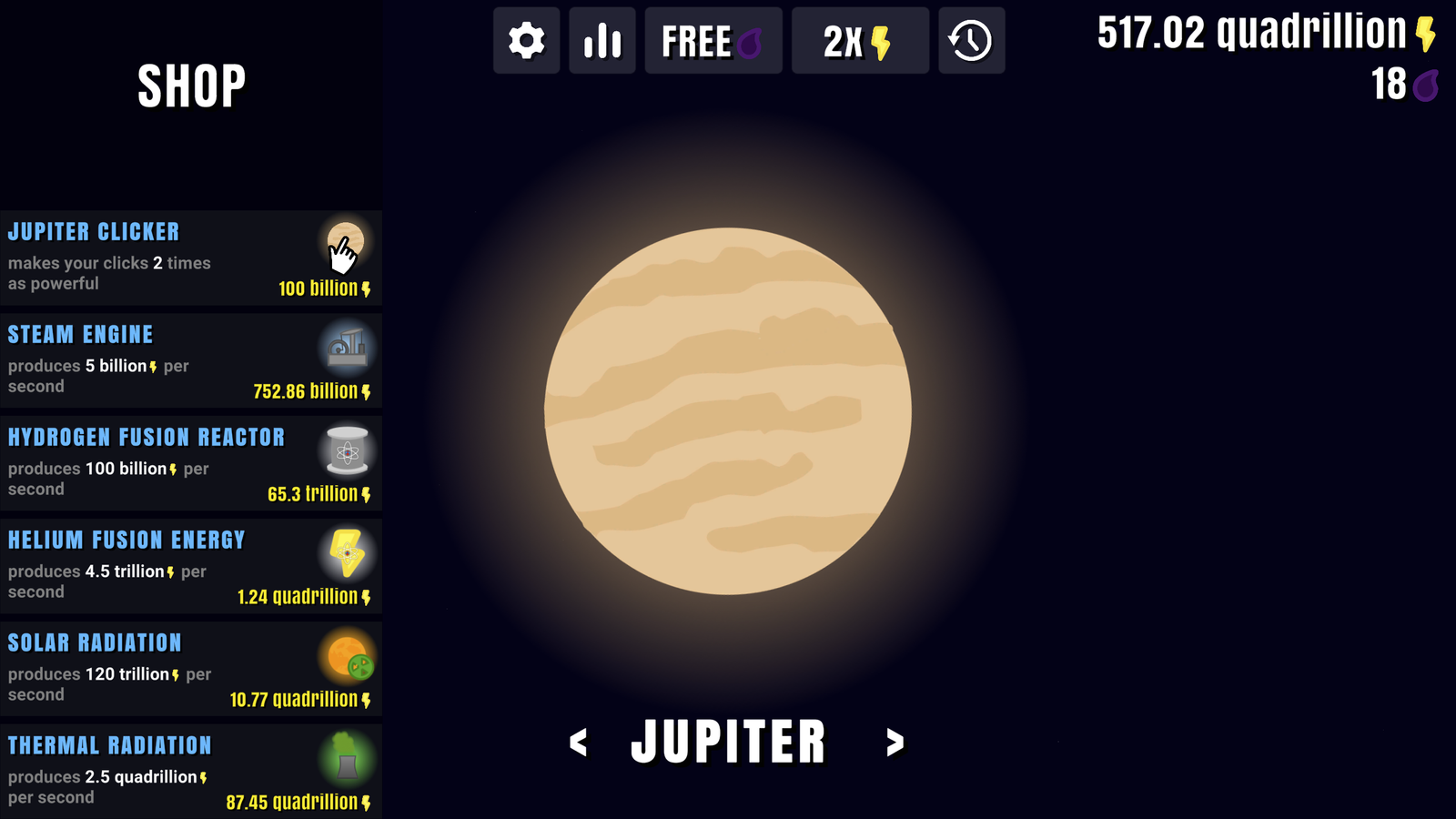
Each planet has its own shop, so unlocking a location gives you different ways to produce energy.
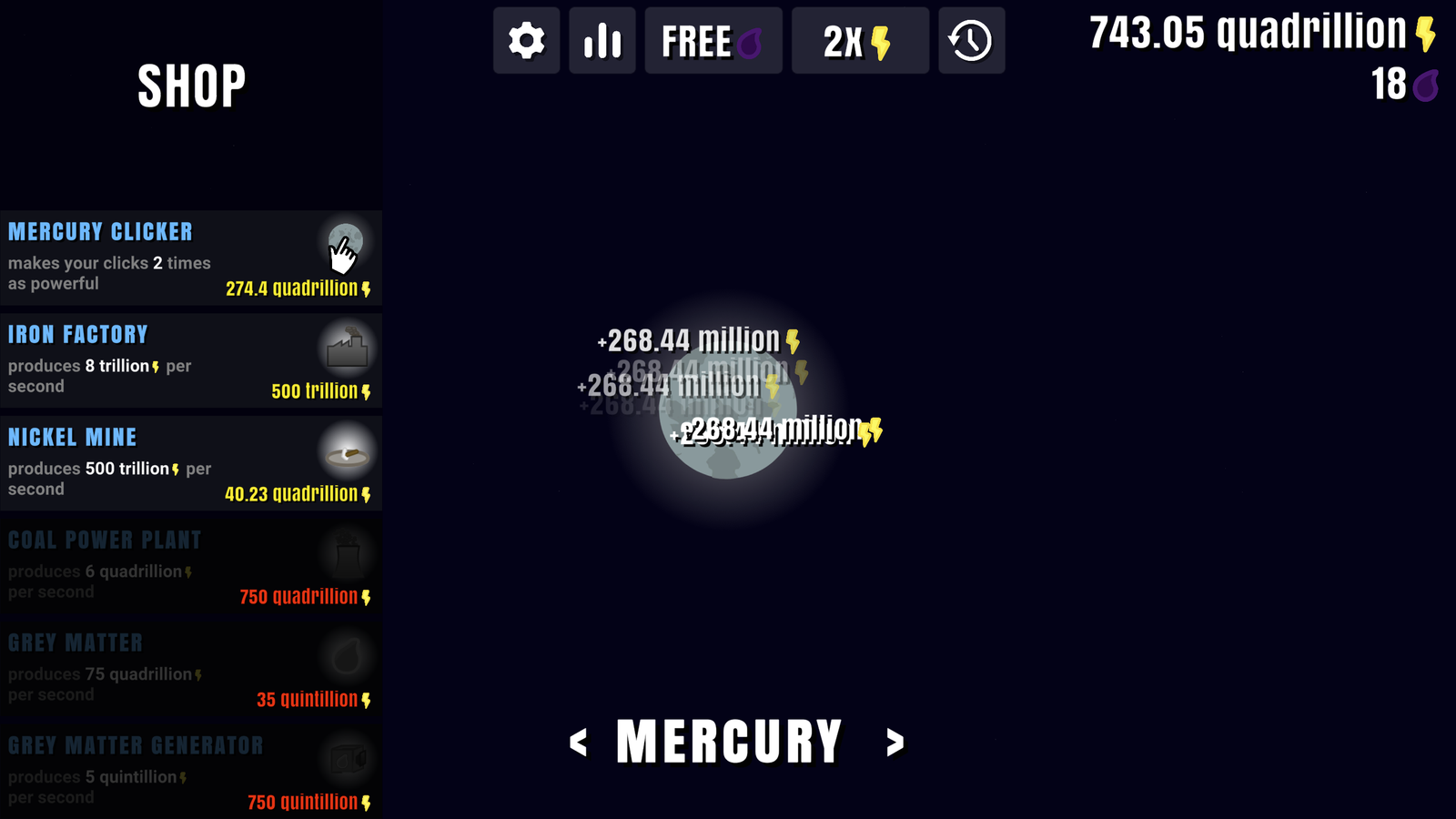
Earth begins with familiar machines such as Campfires, Farms, Windmills, and Factories. Mars moves into solar power, oil and coal, nuclear power, and Martian technology. Jupiter offers more advanced energy sources, including steam and fusion-related machines. Mercury also has industrial and advanced resource-producing upgrades.
Venus, Saturn, Uranus, Neptune, and the Sun extend the game into later stages with their own shops and increasingly large energy goals. You can travel between available locations using the arrows without needing to complete a separate mission.
A locked planet’s price tells you how much energy to save. However, unlocking it is not always the next best purchase. Look at your current energy-per-second rate and decide whether another affordable machine will help you reach the unlock price faster.
Earth Upgrades and Their Starting Prices
The Earth shop gives you a useful introduction to both clicking upgrades and automatic production. These are the starting values shown in the game:
| Earth upgrade | Starting price | Effect |
|---|---|---|
| Earth Clicker | 20 ⚡ | Doubles clicking power |
| Campfire | 100 ⚡ | 1 energy per second |
| Farm | 800 ⚡ | 10 energy per second |
| Animal Farm | 10,000 ⚡ | 120 energy per second |
| Windmill | 75,000 ⚡ | 1,000 energy per second |
| Factory | 250,000 ⚡ | 5,000 energy per second |
These prices are not fixed forever. For example, a Campfire initially costs 100 energy, but the shop can show 115 for its next purchase. Some items may also offer purple-resource payment options.
Which Upgrade Should You Choose?
Start with Earth Clicker if you are actively collecting your first energy. Your next important purchase is a Campfire, because it begins earning energy without another click. Once that is running, compare your current income with the cost of a Farm or another machine.
Production is the main thing to watch. A Farm adds 10 energy per second at its starting price, while an Animal Farm adds 120. Stronger machines can be more useful than buying many copies of a weaker one, although their higher cost means you may need to save first.
Practical tip: Check the updated shop price after every purchase. Decide based on the current cost and energy added, not only the original price in a guide.
How Yellow Energy and Purple Resources Work
You will see two resource counters on the screen. Both can help you buy upgrades, but they are earned in different ways.
Yellow energy (⚡) is the main resource. You get it by clicking planets and from machines that generate energy every second. You spend it on shop upgrades, unlocking locations, and late-game features.
Purple resources are shown with a purple icon. You can receive them through an optional video reward. The shop can display purple-resource costs for eligible upgrades; some purchase options involve both yellow energy and purple resources.
For example, the Earth shop can show purple-resource options for a Farm or Animal Farm. This is useful when you want to compare different ways to afford an upgrade.
What Do FREE and 2X Do?
The two buttons at the top of the game offer different short-video rewards:
- FREE: Watch a short rewarded video to receive purple resources.
- 2X: Watch a short rewarded video for double energy earnings during the next 30 seconds.
The FREE button is linked to purple resources. The temporary 2X bonus increases energy earnings; it is not the same as receiving purple resources. Both features are optional, and normal clicking and upgrades remain available without them.
How Saving and Resetting Work
The Settings menu has SAVE, RESET, and a volume slider. The menu states that the game autosaves every 30 seconds, so you do not have to save manually after every purchase.
Saving Your Progress
To save manually, open the gear icon and select SAVE. This is a sensible step after buying an expensive machine or unlocking a planet, especially if you plan to close the tab.
In the tested gameplay session, saved progress continued after refreshing the page in the same browser. Return through the same browser and profile, and avoid deleting the site’s stored data if you want to keep the save. This does not establish that progress will automatically sync to another device.
Also, saving is different from offline production. Autosave and refresh recovery are confirmed, but there is no verified fixed period of energy generation while the browser is closed. Do not plan purchases around an assumed offline-earnings limit.
Reset and Volume Options
RESET is labeled as removing all progress. Use it only when you want a fresh game. The volume slider changes the game’s sound level.
Reset is separate from rebirth. The regular Reset option does not promise the permanent energy bonus described on the rebirth screen.
Stats: How to Track Your Progress
Open the bar-chart icon to see the game’s General Stats. This screen displays total yellow energy, yellow energy spent, total purple resources, purple resources spent, clicks, and time played.
The Stats screen is useful because your current energy balance does not show everything you have earned. If you spend energy on a Factory, for example, your balance falls, but the spent-energy figure reflects the purchase.
You can also compare your click count with the time played to understand how much of your progress came from active play versus automatic production. It is a record of your run, not a separate leaderboard.
What Does Rebirth Do?
Rebirth is a late-game feature available through the circular-arrow icon. Its screen shows a cost of 1 decillion yellow energy.
The offer is straightforward: restart from the beginning and receive a permanent 2X energy bonus. That can help you rebuild energy production more quickly on your next run.
Rebirth is different from the two other reset or boost controls:
You do not need to worry about rebirth when you first start. Focus on basic machines and planet unlocks until the rebirth cost becomes reachable. Read the prompt before buying it, because you will begin again.
Playing on Mobile and in a Browser
The game supports web-browser play on computers, phones, and tablets. On a desktop, click the planet and shop items with your mouse. On a phone or tablet, tap those controls on the screen. Landscape orientation can make the interface easier to view.
You do not need a separate game download to use the browser version. Let the game finish loading before trying to buy upgrades or switch planets.
If it fails to load, try refreshing the page or using an updated browser. Before clearing site data as a troubleshooting step, remember that it could affect saved progress. Avoid clearing stored data when you want to keep your game.
Some school and workplace networks restrict gaming websites. Whether you can play Planet Clicker 2 unblocked depends on the network’s rules. Use a connection where browser games are permitted.
Frequently Asked Questions
Final Thoughts
The game starts with a simple click, but the decisions become more interesting as you earn enough energy for bigger machines and new planets. You can play actively for a few minutes, or spend more time growing your automatic production and deciding what to unlock next.
For a smooth start, improve clicking power, buy a Campfire, and move toward stronger producers on Earth. Watch how purchase prices change, then save for Mars and other locations when your energy income is ready. The purple resource, optional video boosts, Stats screen, and rebirth system add more choices later.
Most importantly, save before leaving the game and use the shop’s current prices to guide your purchases. That way, you can spend more time exploring the solar system and less time rebuilding progress.